Your agency isn't generic. Your screens shouldn't be either.
The open-source suite handles the transit information every agency needs. What it cannot know is your hardware, your fleet, your brand and the particular way your feed is published. That part we build for you — as a thin module beside the core, never a fork of it.
In plain language
The free software does what every agency needs.
It cannot know about your screens, your buses, or your brand. We build that part for you.
We add it beside the free software, not inside it. That way you can still take updates.
The rest of this page shows one agency we did this for.
What a custom layer can add
Six kinds of work, in rough order of how often agencies ask for them.
-
Display hardware skins
Variants matched to the screens you own: two-screen pylons, single-screen boards, static system maps, e‑ink, portrait or landscape — registered as skins on the shared display engine, in your typography and brand system.
-
Fleet vehicle liveries
Per-vehicle icons on live maps, keyed by vehicle id, so a heritage streetcar or a branded bus shows up as itself rather than a generic marker.
-
Brand cartography
A vector basemap style of your own, so every embedded map matches your identity instead of a stock web map — swappable per deployment from an admin setting.
-
Feed quirks
Realtime identifiers that don't match your static feed, agency-specific route enrichment, import pipelines tuned to how your GTFS is actually published.
-
GTFS extensions
The extension files your region publishes — GTFS+ and beyond — modelled as first-class entities alongside the standard spec.
-
Website integration
Live maps, boards and timetables inside the site you already run, with per-origin frame security and links that lead back into your own pages.
What that looks like in practice. The rest of this page is one agency's layer, in production — what it contains, and why it is still a layer.
Case study: SFMTA's custom layer
The San Francisco Municipal Transportation Agency runs the open-source suite with three small modules of its own: platform pylons in Muni's type, historic streetcar liveries on the live map, and the identifier gap that comes with a regional feed. Everything below is additive.
The two-screen pylon
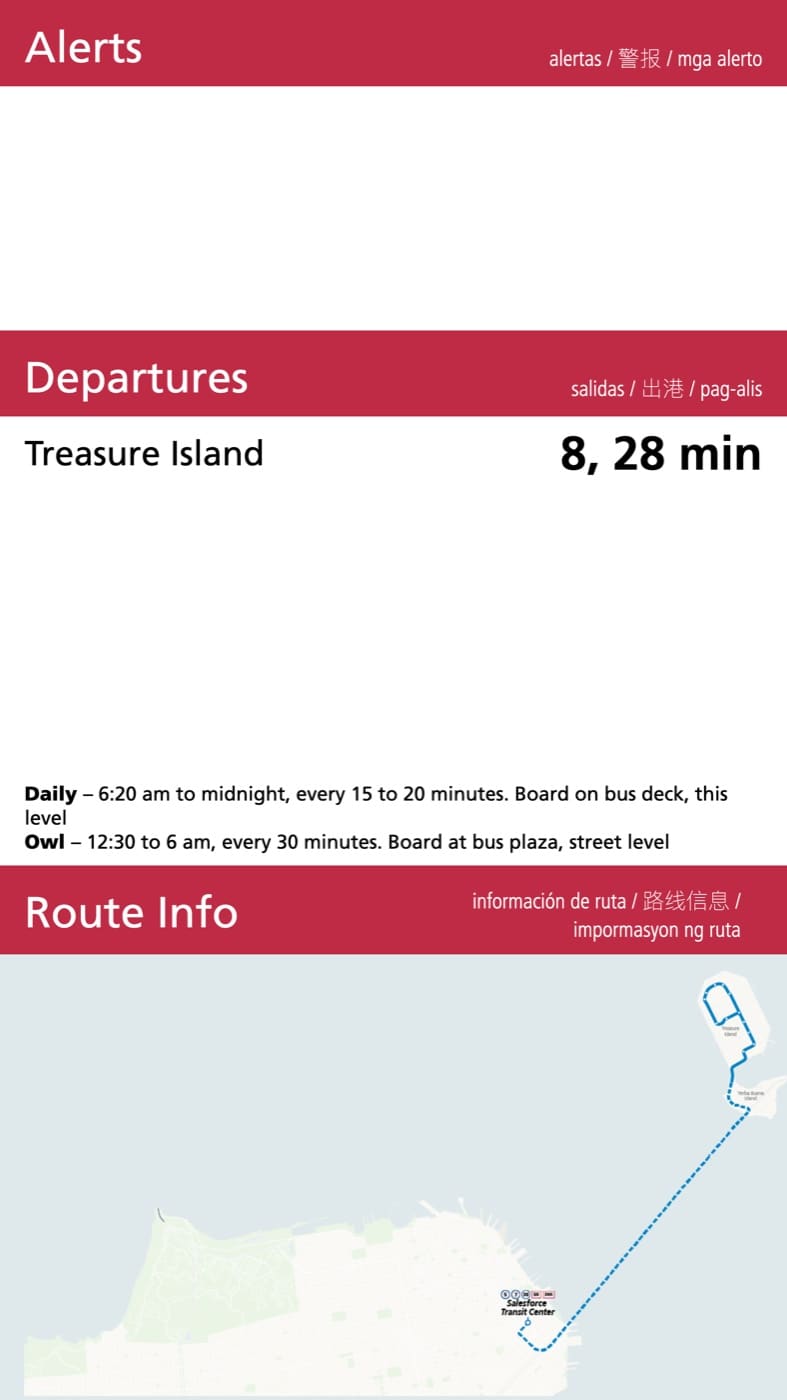
The platform pylons run two stacked panels. The top screen carries the agency mark and the active route's badge, sized to be read from across the platform; the bottom screen follows with that route's alerts, live departures and route map. Both panels poll one endpoint and page in lockstep, so they never disagree about which route they are showing — the pair here was captured mid-rotation, both on the 25 Treasure Island.
Each panel is a role on the shared display engine. The agency module registers the skin, the Frutiger type, the four-language section labels and the two-screen pairing; the core supplies the data, the polling and the paging clock.

One screen where a pair won't fit
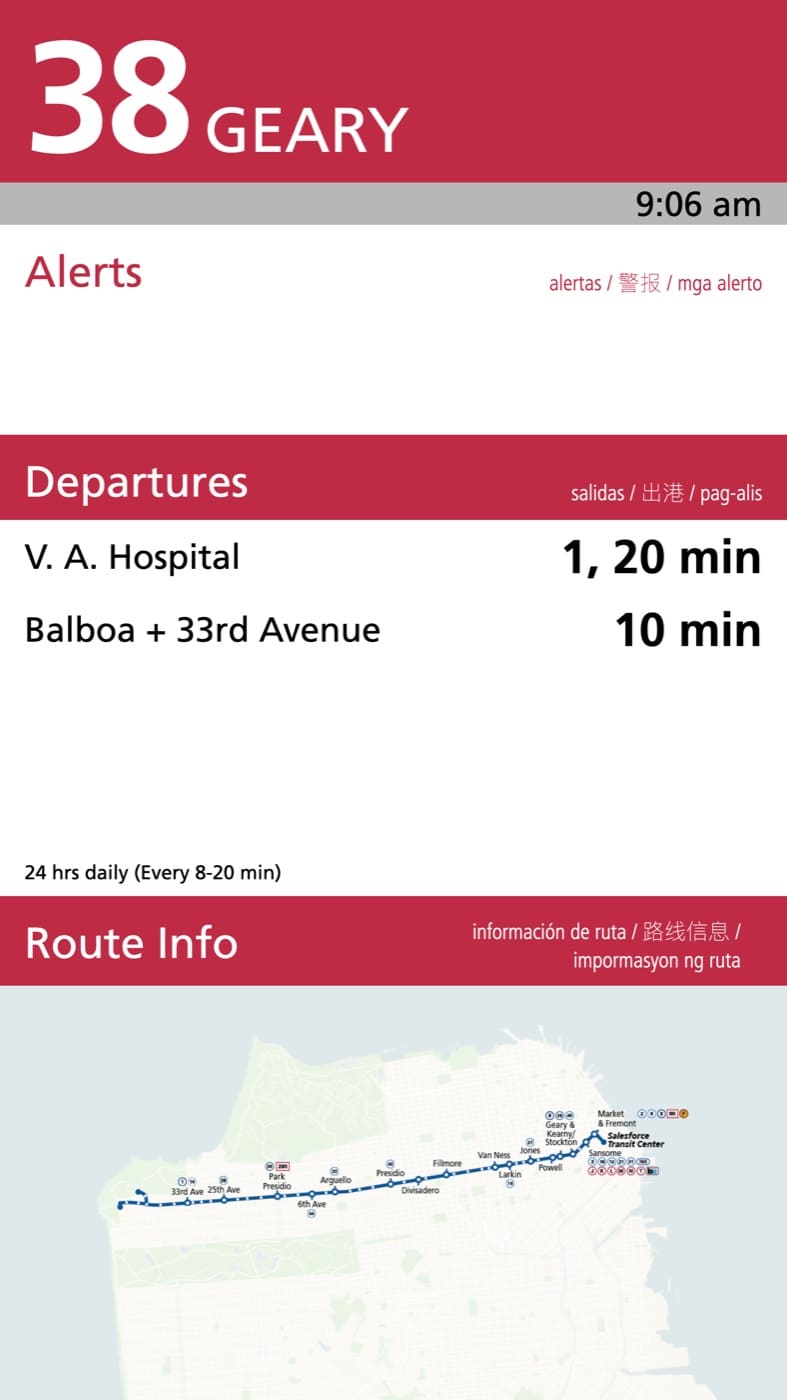
Not every bay has room for two panels. The single-screen pylons carry the whole story on one surface: route badge, live departures grouped by destination, the service pattern in words, and the line's own map.
It is the same module and the same skin — a second layout, not a second codebase. Which one a given screen shows is a setting on its display context, so the agency moves a bay from one layout to the other without a deploy.
The live map, on the agency's own route pages
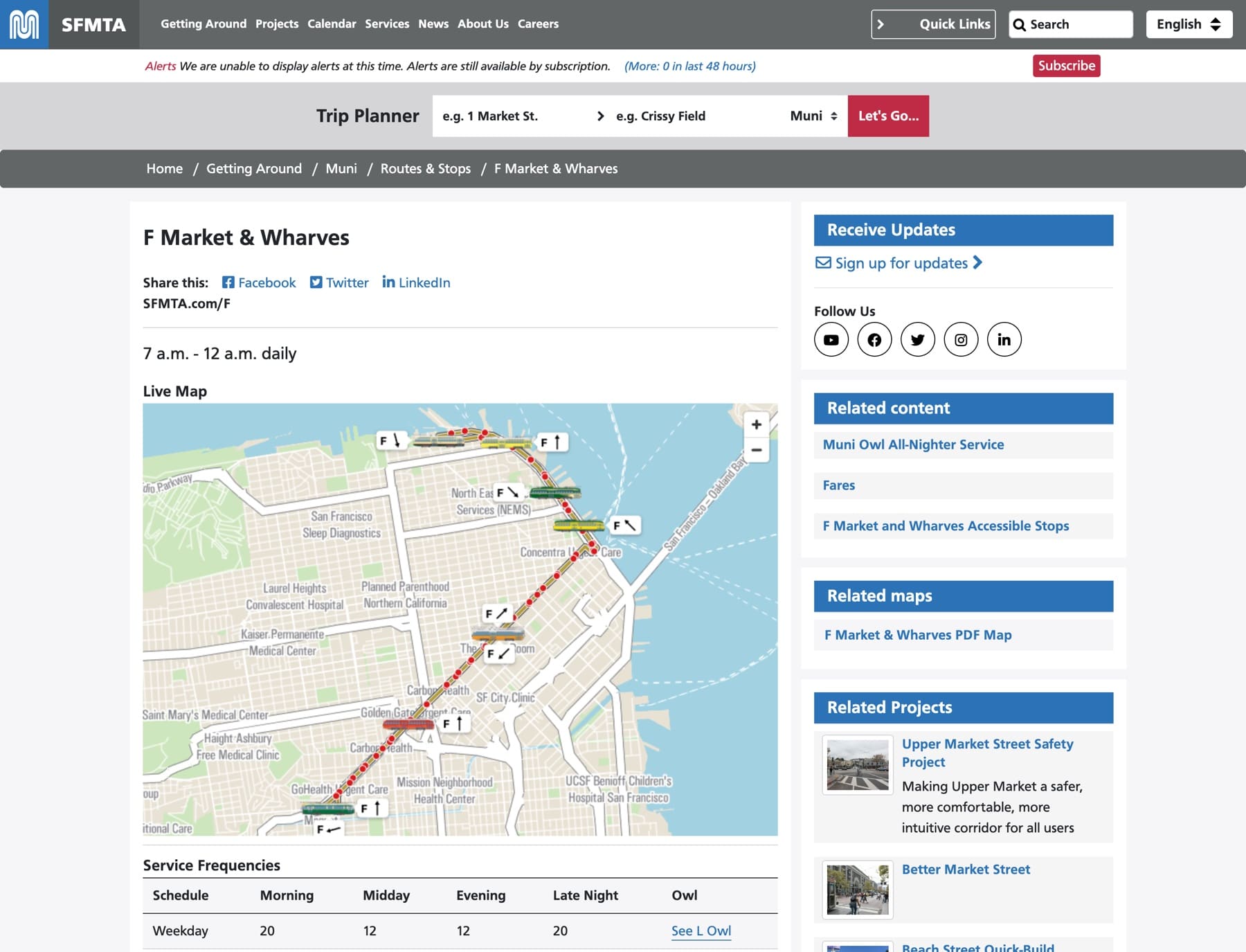
The F Market & Wharves page on sfmta.com carries a live map as an iframe. The agency's site keeps its own stack, chrome and navigation; the map arrives with the realtime machinery already inside it.
Every streetcar in its own paint
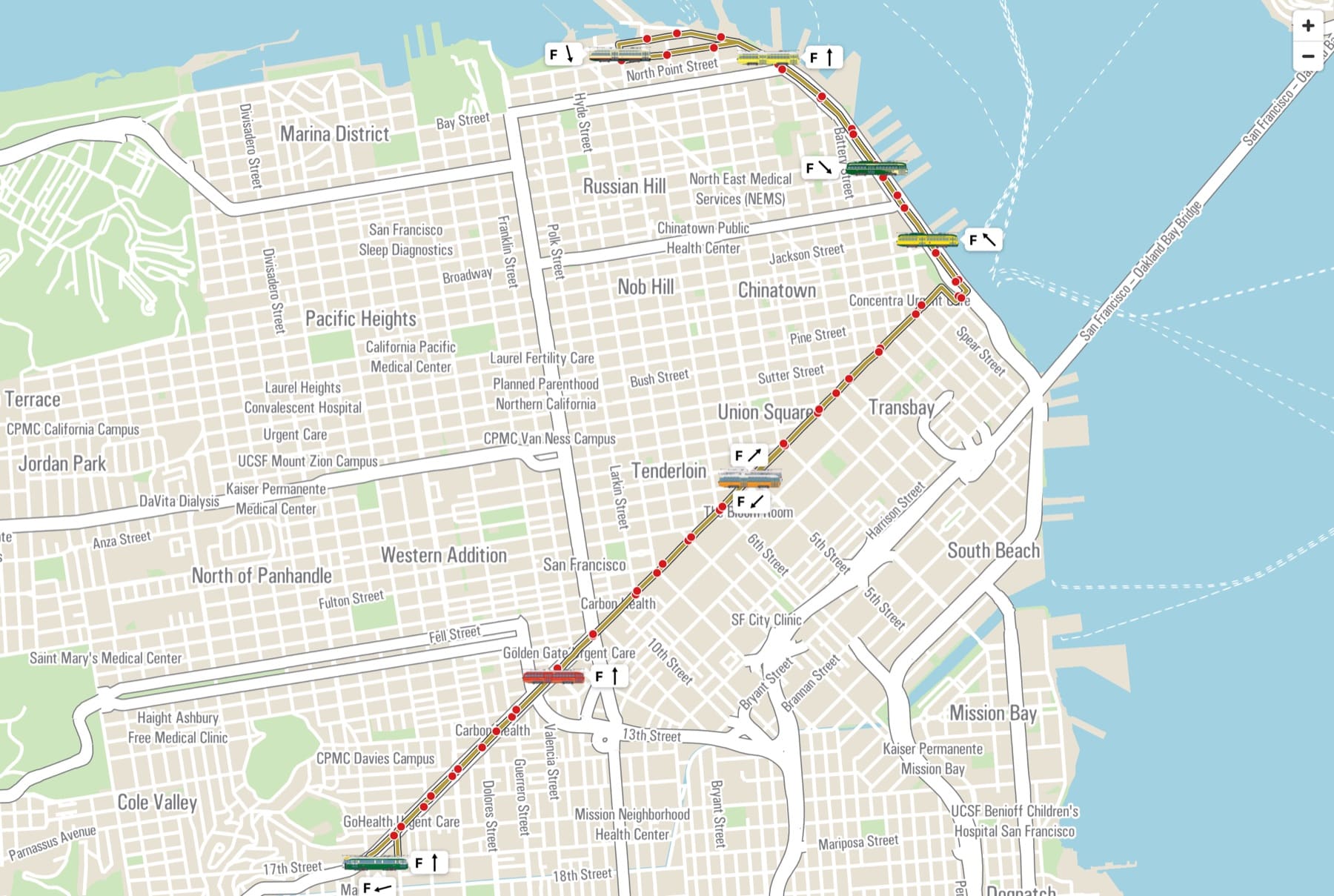
The F line runs heritage streetcars, each in the livery of a different city and era. Generic markers would throw that away, so the agency module supplies an icon per vehicle id — a PNG named for the car, no code change to add one.
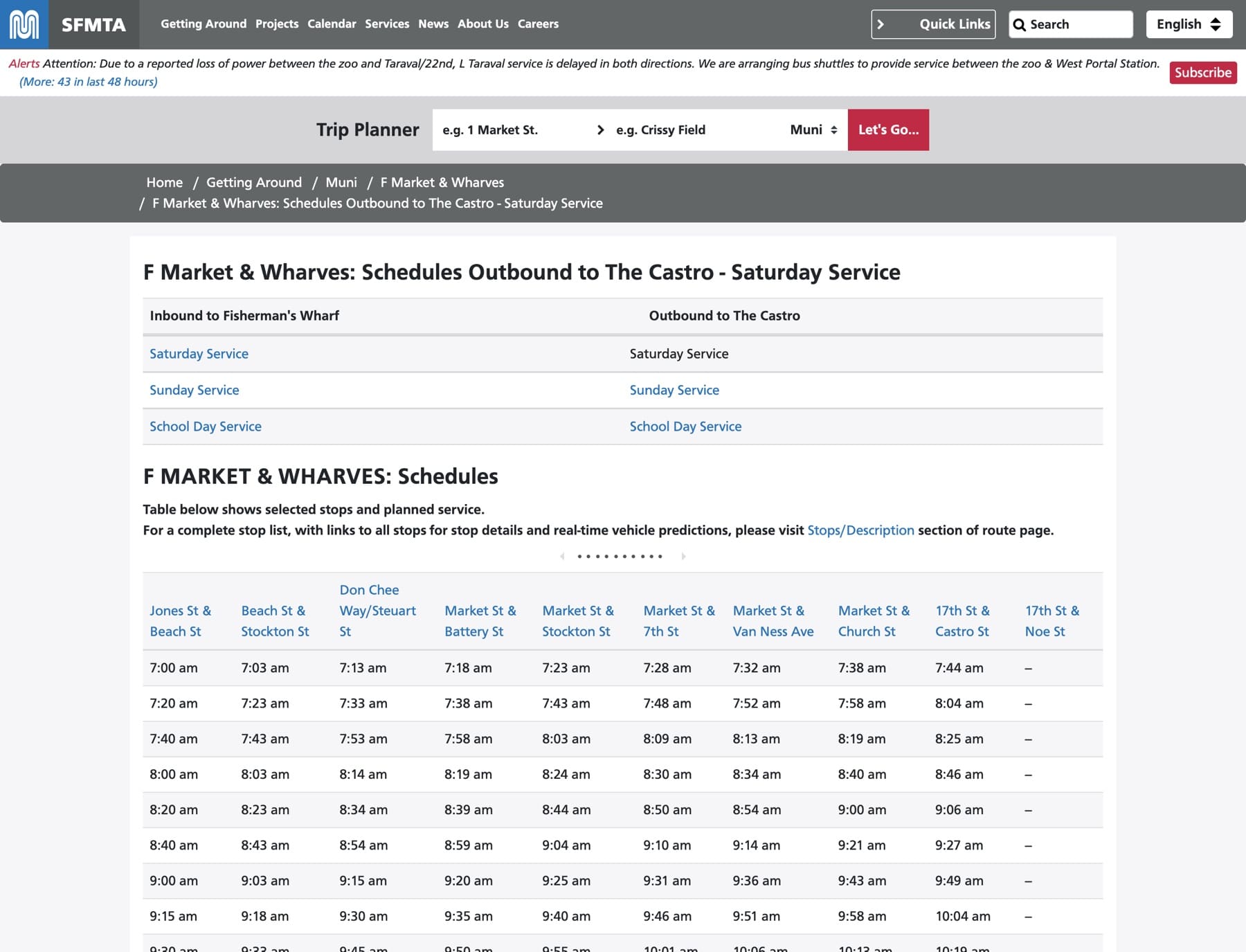
Timetables from the same feed
The published schedules are generated from the imported GTFS, by direction and service day, with stop headings that link through to each stop's own page.
Why it stays a layer
Everything above is registration, injection and defaults — work the core already publishes hooks for. That is the part that transfers: the agency tracks the same open-source modules everyone else runs, and its own code stays small enough to read in an afternoon.
- Upstream core — no patches to carry, so an update is an update
- Hook-based — three hooks carry most of the customisation
- Config-seeded — agency defaults install themselves, then belong to the admin UI
# One thin agency module, three hooks

hook_gtfs_display_variants_alter()
  → register the 'pylon' hardware skin

hook_gtfs_display_map_rt_vehicle_icons_alter()
  → per-vehicle liveries from vehicleIcons/*.png

hook_gtfs_display_rt_entity_ids_alter()
  → map static stop IDs to realtime feed IDs
Works with
The specifications the suite implements, the feed sources it has already run against, and the software underneath.








Put your feed to work.
Your hardware, fleet and feed quirks will not be these ones. Tell us what's weird about your system — working out what belongs in the layer and what belongs upstream is our favourite part of the job.